New Room
The New Room Modal in PianoRhythm allows you to create or update a room with various settings. This guide will walk you through each field available in the modal and explain their purpose.
Basic Settings
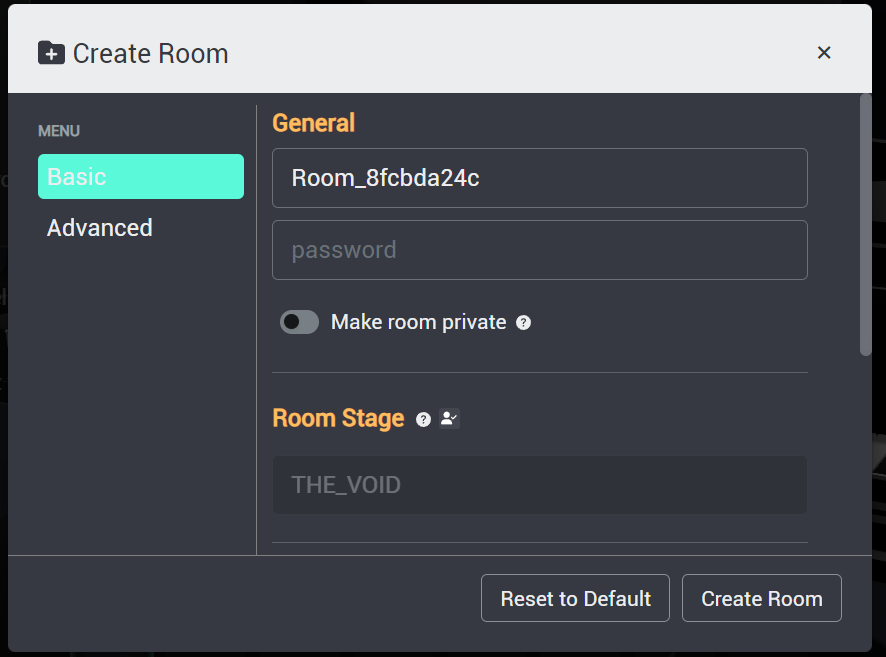
Room Name
Set the name of your room. This is how other users will identify your room in the list.
Password
(Optional) Set a password for your room to restrict access. Only users with the password will be able to join.
Room Status
Toggle between making your room public or private. A private room will not appear in the global rooms list.
Room Stage
Select a predefined 3D stage for your room. This sets the visual environment for your room.
Room Mode
Choose the mode for your room. Options include:
- Normal: Standard room mode for playing the piano with friends.
- Orchestra: Play in an orchestra setting with multiple instruments.
Welcome Message
(Optional) Set a welcome message that users will see when they enter your room. You can use the token %%user%% to dynamically insert the user's name.
Advanced Settings
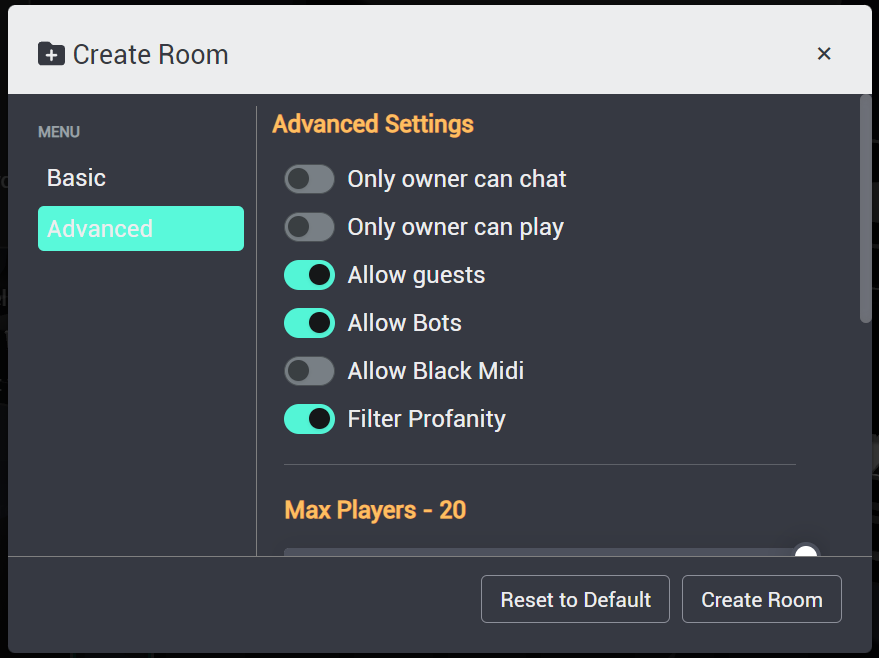
Only Owner Can Chat
Enable this option to restrict chatting in the room to only the room owner.
Only Owner Can Play
Enable this option to restrict playing the piano to only the room owner.
Allow Guests
Allow guest users to join your room.
Allow Bots
Allow bots to join your room.
Allow Black MIDI
Enable this option to allow Black MIDI, which involves playing a large number of notes in a short period.
Filter Profanity
Enable this option to filter out profane language in the chat.
Max Players
Set the maximum number of players that can join your room.
Self Hosting
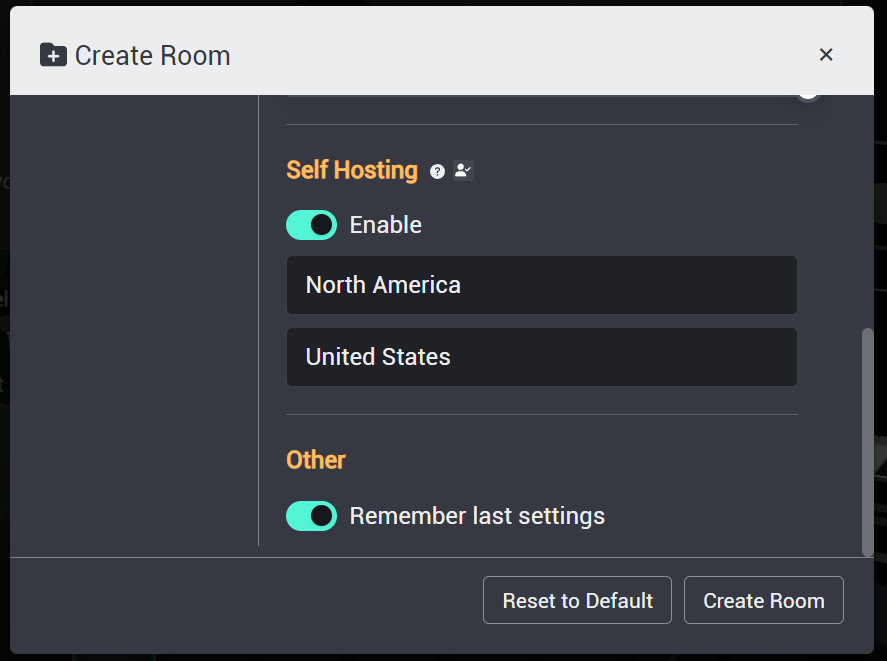
Enable self-hosting to partially host your own room. This includes selecting your continent and country for better server performance.
Remember Last Settings
Enable this option to remember the last settings you used when creating or updating a room.
Self Hosting Settings
Continent
Select the continent where you are hosting the room. This helps in optimizing the server performance.
Country
Select the country where you are hosting the room. This further helps in optimizing the server performance.
Other Settings
Remember Last Settings
Enable this option to remember the last settings you used when creating or updating a room.
Actions
Reset to Default
Reset all fields to their default values.
Create Room / Update Room
Submit the form to create a new room or update the existing room with the specified settings.
By using these settings, you can customize your room to fit your preferences and provide a better experience for your users.